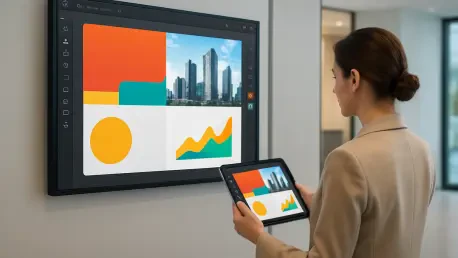

The technical burden of managing digital signage is reduced when users can access their design accounts directly from within the management console of their displays. For a long time, the fragmentation between creative software and deployment hardware created significant bottlenecks for marketing teams who needed to push updates quickly. The traditional workflow required designers to create content in one application, export the file in a compatible format, and then manually upload it into a separate content management system. This process was not only time-consuming but also prone to human error, such as using incorrect aspect ratios or outdated file versions. In the modern landscape of digital communication, the speed of information delivery is just as important as the quality of the visual itself. By integrating professional design tools directly into the signage ecosystem, organizations can eliminate these redundant steps. This evolution allows for a more fluid creative process where the distance between a concept and its public display is virtually eliminated.
1. Accessing the Platform and Selecting the Integration
Accessing the Fusion Signage platform is the first essential step in this streamlined content management process. Users must log into their existing accounts to gain entry to the primary dashboard, which serves as the command center for their entire display network. This secure environment provides a comprehensive overview of all active screens, ranging from small interactive kiosks to large-scale video walls in high-traffic areas. Having a centralized entry point ensures that all administrative tasks and creative updates are performed within a controlled and audited environment. In this professional setting, the focus is on maintaining a clear organizational structure that allows for the rapid deployment of media assets. The dashboard is designed to provide immediate visibility into the status of the hardware, ensuring that the network is ready to receive new content. By starting from this robust foundation, users can manage their digital assets with the confidence that their communications will reach the intended audience without technical interruptions.
Once the administrative session is active, the next phase involves selecting the specific integration option to bridge the gap between design and distribution. Users navigate to the Manage tab, select the Add button, and pick Canva from the list of available options. This simple action triggers an automated connection that links the creative capabilities of a leading design platform with the operational power of the signage system. The move toward integrated APIs represents a significant shift in how enterprise software operates, prioritizing user convenience and workflow efficiency over isolated functionality. By choosing this integration, the system establishes a secure pathway for data exchange, allowing the design interface to be accessed directly from the management console. This eliminates the need for users to switch between multiple browser tabs or desktop applications, creating a more focused and productive working environment. It also ensures that the assets created are naturally compatible with the specific requirements of the signage platform.
2. Drafting Professional Visuals Using Integrated Tools
Drafting your visuals in Canva begins immediately after the system provides the necessary prompt to access the account. Within this integrated workspace, creators can develop their graphics using a vast library of brand assets, professional templates, or entirely custom layouts. The advantage of this approach lies in the accessibility of high-quality design elements that cater to various industries, from retail and hospitality to corporate communications. Users can leverage pre-set dimensions that match their specific digital displays, ensuring that every image or video is perfectly framed for its intended screen. This eliminates the common problem of black bars or distorted imagery that occurs when assets are not properly scaled. Furthermore, the drag-and-drop interface allows for the quick assembly of complex visual hierarchies, including text overlays, high-resolution photography, and dynamic shapes. This creative flexibility is vital for producing engaging content that effectively captures the attention of passersby in competitive environments.
Maintaining visual consistency is a primary goal for any organization managing multiple digital touchpoints across a large network. By utilizing the integrated design tools, teams can access their established brand kits, which include authorized logos, specific color codes, and corporate typography. This ensures that every piece of digital signage content looks and feels like an authentic extension of the brand’s identity. The ability to save custom templates also allows for the rapid creation of recurring content, such as daily specials or weekly employee highlights, without starting from scratch each time. In a professional context, this consistency builds trust with the audience and reinforces the organization’s messaging across different physical locations. The integrated workflow supports collaborative design efforts, as multiple authorized users can contribute to the creative process while adhering to the same brand standards. This collaborative approach leads to a more diverse and interesting content loop that keeps the digital displays from becoming stagnant.
3. Transferring Assets and Distributing Final Content
Transferring the media to Fusion Signage is the critical step that follows the completion of the creative drafting phase. Once the artwork is finished, users select the Return to Fusion Signage option to automatically import the asset into their media library. This automated transfer mechanism is a significant improvement over manual file uploads, as it removes the risk of data loss or file corruption during the process. The system handles the background communication between the design tool and the signage library, ensuring that the asset is stored in the correct directory with all its associated metadata. This seamless transition allows users to stay within the flow of their work, moving from design to management in a single, uninterrupted motion. By automating the import process, the platform provides a reliable way to populate the media library with fresh content that is ready for immediate deployment. This efficiency is particularly beneficial for organizations that manage high volumes of creative assets daily.
Organizing and distributing your content became the final operational phase of the signage workflow, transforming creative assets into active public messages. This involved incorporating new assets into specific playlists, setting broadcast schedules, and pushing content live to an entire network of screens. To maximize the impact of this system, managers established strict protocols for template usage and scheduling frequency. It was found that those who performed weekly reviews of their media libraries successfully retired outdated assets and kept their graphics relevant. To move forward, it was recommended that teams focus on creating more localized content that addressed specific regional needs. Future considerations included the integration of diverse data sets to automate visuals based on external conditions like store traffic. By following these actionable steps, businesses successfully turned their digital screens into dynamic assets that drove engagement and delivered clear value to their target consumers.