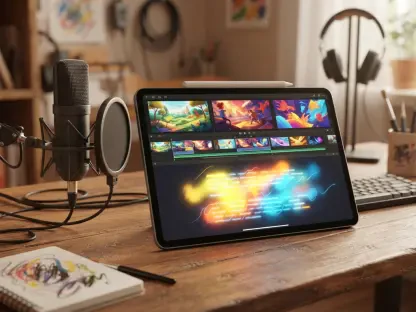

The modern landscape of digital asset creation has undergone a seismic shift as conversational artificial intelligence replaces traditional manual design methods with intuitive natural language processing systems. ChatGPT Images 2.5 represents a significant leap in this evolution, allowing users to manifest visual ideas through simple English descriptions. This guide provides a comprehensive roadmap for mastering the latest image-generation and editing capabilities within the OpenAI ecosystem, covering everything from basic text-to-image prompts to advanced sketch-based workflows.
Professional design workflows no longer require years of technical training in software suites that demand high subscription fees and steep learning curves. Instead, the focus has moved toward the ability to articulate a vision through descriptive language and iterative feedback. By utilizing this newest iteration of the image engine, creators can bridge the gap between abstract thought and high-fidelity output. This efficiency allows for a more fluid creative process where the tool acts as an extension of human intent rather than a technical barrier to overcome.
Revolutionizing Visual Creation with ChatGPT Images 2.5
The transition from rigid design software to fluid, conversational interfaces marks a turning point for the creative economy. In the current 2026 landscape, the speed of content consumption demands an equally rapid production cycle that only artificial intelligence can facilitate. ChatGPT Images 2.5 offers a sophisticated blend of generative power and surgical precision, enabling users to generate, modify, and refine visuals in a single window. This convergence of tools eliminates the need to export files between different applications, saving valuable hours in the production cycle.
Mastering this interface requires an understanding of how the model interprets human intent through linguistic nuance. It is not merely about generating a pretty picture; it is about establishing a collaborative dialogue with a machine that understands lighting, texture, and composition. As users become more proficient in this exchange, the results transition from generic AI-generated art to bespoke, professional-grade assets that satisfy specific commercial or personal requirements. The following sections explore how to harness these capabilities to their fullest extent.
The Evolution of AI-Powered Visual Design
While AI image tools have been available for several years, early models often struggled with precise control and consistency. The background of ChatGPT Images 2.5 is rooted in the need for a more intuitive, human-like creative partner. Previous iterations frequently failed when asked to perform specific localized edits or to maintain the integrity of a character across different scenes. This version addresses historical pain points—such as slow generation speeds and the inability to make localized edits—by introducing a model that understands context, lighting, and spatial relationships better than its predecessors.
In today’s fast-paced digital economy, this tool matters because it democratizes high-quality graphic production for marketers, educators, and creators alike. Since 2026, the demand for personalized and diverse visual content has grown exponentially, making traditional photography and manual illustration too slow for many business needs. By leveraging improved neural networks, the system now provides a level of fidelity that was previously unattainable without a professional studio setup. This democratization ensures that even small entities can compete visually with global brands.
Mastering the Workflow for Professional Results
Transitioning from an idea to a final image requires a structured approach to ensure the AI captures your vision accurately. Randomly throwing keywords at the generator might produce interesting results, but a professional workflow demands repeatability and control. By following a sequential process, creators can minimize the trial-and-error phase and reach a polished final product more efficiently.
Step 1: Initiating Your Creative Session
Start by accessing the ChatGPT interface on your preferred device. Ensure you are utilizing the latest model version to access the enhanced generation speeds and the specialized Sketch tool. Users should verify their account status to ensure they have the necessary permissions for high-resolution output and advanced editing features. Choosing a clean, distraction-free environment for this process helps in focusing on the descriptive requirements of the initial prompts.
Once the interface is active, it is beneficial to define the scope of the project. Whether it is a single hero image for a landing page or a series of social media tiles, having a clear objective will influence how the session proceeds. This initial step is also the time to decide if the project will start from a completely blank slate or if there are existing assets that should be uploaded to guide the creative direction of the model.
Step 2: Formulating Detailed Text Prompts
Provide a clear description of your subject, environment, and style. The model functions best when it is given a comprehensive framework that includes the primary subject, the background elements, and the emotional tone of the piece. Avoid using overly vague terms like beautiful or cool, and instead opt for concrete descriptors that provide the AI with specific visual data points to work from during the generation process.
Define Your Visual Aesthetic
To get the best results, specify the lighting, such as warm studio light or harsh noon sun, and the camera angle, like a low-angle shot or an isometric view. Mentioning specific artistic styles, such as minimalist vector art, oil painting, or 35mm film photography, provides the model with a library of stylistic rules to follow. This level of detail prevents the AI from defaulting to a generic look and ensures that the output aligns with the desired brand identity or project theme.
Use Dimensional Constraints
Clearly state if you need specific aspect ratios or layouts, such as leaving negative space on one side for text overlays in a marketing banner. Understanding the final destination of the image—whether it is a vertical phone screen, a widescreen presentation, or a square social post—allows the model to compose the elements of the image logically. This proactive approach to composition reduces the need for awkward cropping or resizing after the image has been generated.
Step 3: Executing Precise Image Edits
Once an initial image is generated, you can refine it without starting from scratch. This iterative capability is what separates the current 2026 technology from the basic generators of previous years. Instead of being stuck with whatever the first click produces, users now have the power to engage in a back-and-forth dialogue to polish every detail of the composition until it meets professional standards.
Targeted Element Modification
Instead of broad requests, use focused commands like change the coffee cup to a glass of iced tea while keeping the rest of the table identical. This surgical approach to editing is powered by advanced inpainting technology that understands which pixels to modify and which to leave untouched. It allows for the rapid testing of different product variations or character accessories without losing the overall structure of a successful initial generation.
Maintaining Visual Consistency
Leverage the model’s ability to preserve character features or product details across multiple rounds of editing, ensuring a cohesive look for brand assets. This is particularly vital for storytelling or long-term marketing campaigns where a character must look the same in different environments. The system now tracks key visual markers, allowing users to move a subject from a mountain setting to a city street while maintaining the same facial structure, clothing style, and proportions.
Step 4: Integrating References and Sketches
Use non-verbal cues to guide the AI when words are insufficient. Sometimes the most precise linguistic description cannot match the clarity of a simple visual aid. By combining text with visual inputs, users can provide a two-dimensional map for the AI to follow, ensuring that the spatial relationships between objects are exactly as intended rather than left to the model’s interpretation.
Utilizing @Sketch for Spatial Control
Draw a rough outline to indicate where objects should be placed. This eliminates the guesswork often found in purely text-based prompts. By using the @Sketch command, a creator can block out the composition, showing the horizon line, the placement of a person, and the location of light sources. Even a rudimentary drawing provides enough geometric information for the model to understand the perspective and scale required for the final render.
Uploading Reference Images
Upload existing photos to serve as a baseline for style, color palette, or product placement to ensure the output aligns with existing brand guidelines. This feature is indispensable for corporate work where adherence to a specific color hex code or architectural style is non-negotiable. The model analyzes the uploaded reference for its fundamental components and then applies those parameters to the new generation, creating a bridge between old and new assets.
Core Advancements and Functional Overview
To summarize the key benefits of ChatGPT Images 2.5:
- Enhanced Fidelity: The model produces superior textures, realistic lighting, and more detailed backgrounds that rival professional photography.
- Rapid Iteration: Generation speeds have increased significantly, performing up to 50% faster than previous versions to facilitate quick brainstorming.
- Contextual Editing: Users possess the ability to modify specific sections of an image without altering the entire composition or ruining the existing aesthetic.
- Creative Versatility: Native support for sketches and reference images provides a multi-modal approach to guiding the generation process from start to finish.
The integration of these features creates a robust ecosystem that supports the entire creative lifecycle. From the first spark of an idea to the final touch-up of a high-resolution export, the system provides tools that were once the exclusive domain of high-end design agencies. This functional overview highlights why the current 2026 version of the software has become an essential component of the modern professional toolkit.
Real-World Applications and the Future of AI Imagery
The practical applications of ChatGPT Images 2.5 span across numerous industries with remarkable versatility. In marketing, it allows for the rapid prototyping of ad concepts, where a team can visualize a dozen different directions in the time it would take to brief a single illustrator. In e-commerce, it enables the placement of products in various lifestyle settings without expensive photoshoots, allowing brands to localize their imagery for different global markets with minimal overhead. Educators also use the tool to create custom diagrams and historical recreations that make learning more visually engaging for students.
As the industry looks forward, the trend is moving toward even higher levels of agentic control, where AI can manage entire visual campaigns across multiple platforms. Starting in 2026 and moving through the next few years, the focus will likely shift toward perfect temporal consistency and even deeper integration with three-dimensional modeling. However, challenges regarding copyright and the ethical use of personal photos remain critical areas for both developers and users to navigate. Ensuring that AI is used responsibly while respecting the intellectual property of human artists is a primary concern for the community as these tools become more powerful and ubiquitous.
Final Recommendations for Aspiring AI Creators
ChatGPT Images 2.5 functioned as a collaborative design partner throughout the testing and implementation phases of its rollout. The interface allowed for a seamless transition between conceptualization and realization, proving that the barrier between human imagination and digital reality had significantly thinned. Creators who adopted an iterative mindset discovered that the tool rewarded patience and precision over hasty, single-word inputs. By treating the AI as a junior designer that required clear direction, users achieved results that were both technically sound and creatively inspired.
The implementation of these techniques enabled professionals to reclaim time that was previously spent on repetitive manual tasks. The visual assets generated by the system successfully integrated into diverse projects ranging from corporate branding to independent film storyboarding. As the creative community moved into this new era of 2026, the emphasis shifted from the mechanical act of drawing to the intellectual act of curation and direction. Those who continued to experiment with different prompt structures and reference types found that their creative potential was no longer limited by their technical drawing skills but only by the clarity of their own ideas. This evolution suggested a future where the most valuable skill in the design world became the ability to communicate a vision with absolute clarity and artistic intent.